Independent campaign-planning product · 2026
AI Creative
Director
Coaching a rough idea into an effective campaign, then holding the final brief until the strategy is sound.
- Role
- Product design, UX strategy, AI workflow design, prototyping and frontend engineering
- Product
- Private-repo app that people run with their own OpenRouter connection
- Current flow
- Brand → Idea → Message → Copy → Bundle → Designer Brief
- V1 boundary
- Campaign decisions and a professional PDF, not generated production artwork
The problem
Most AI tools rush to generate. This one knows when to stop.
AI Creative Director moves a user from a rough promotional idea or prepared content toward one campaign focus, one call to action, concise copy, a specific visual hook and a coordinated deliverable set. The product advances only when strategy and execution direction are complete, visible and explicitly approved.
Six gates turn source material into an approved designer brief.
Each stage has a distinct decision. Progress is earned through visible approval, not a persuasive response.
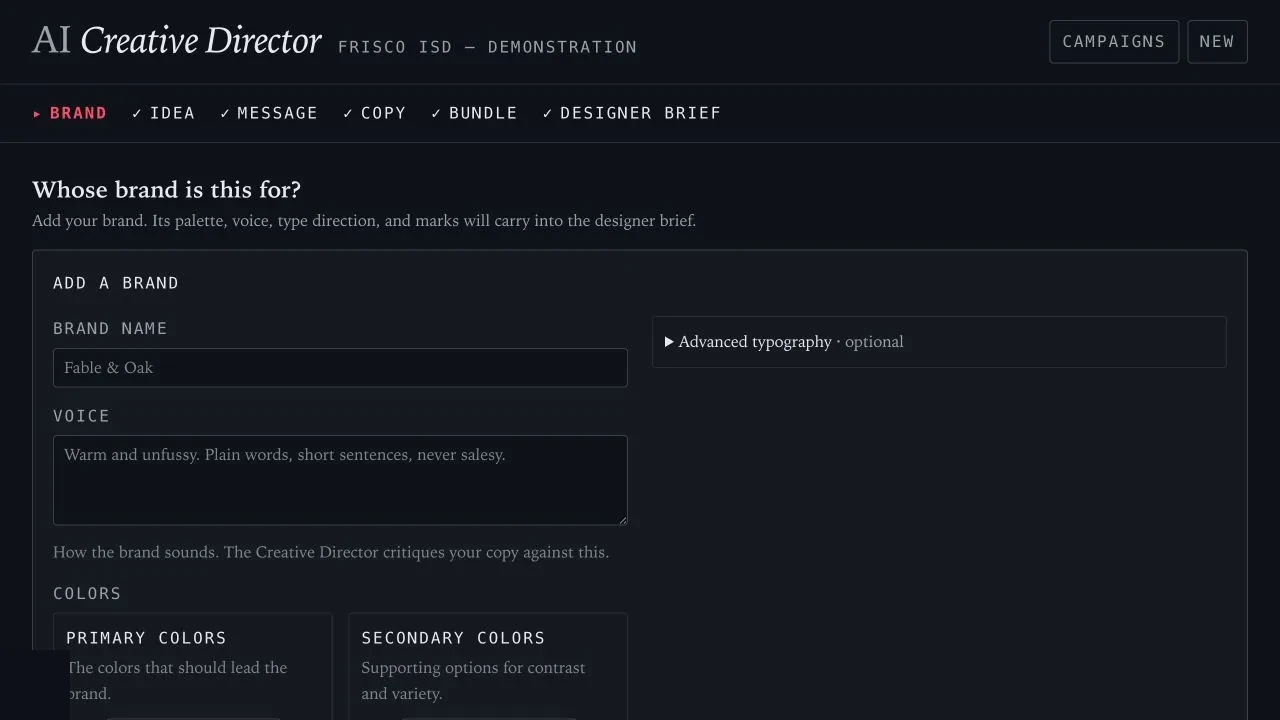
Brand
Voice, color, type and supplied logo files
Idea
An early concept or prepared content
Message
One focus, one promise and one call to action
Copy
A visual hook and concise hierarchical copy
Bundle
Exact deliverables, sizes and production roles
Designer Brief
Approved direction in a portable PDF
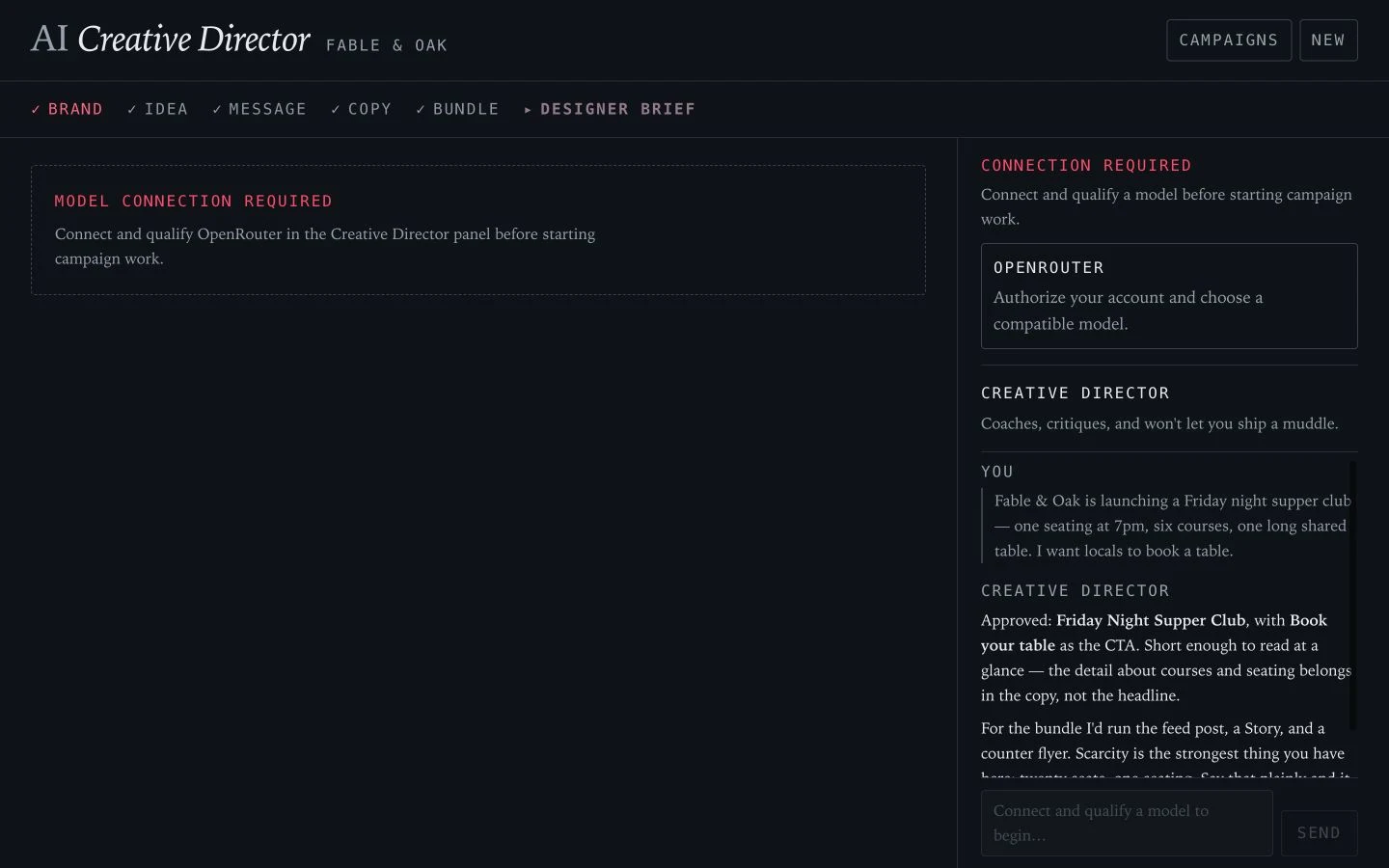
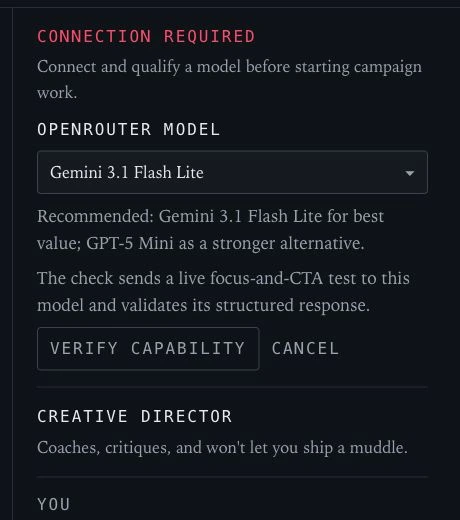
Before campaign work, the model must prove it can do the job.
A user connects OpenRouter, chooses a model and completes live capability qualification before the planning workflow unlocks. Credentials remain user-owned and are not packaged with a campaign.
Coaching, gates and approval
The model suggests. The application governs. The person decides.
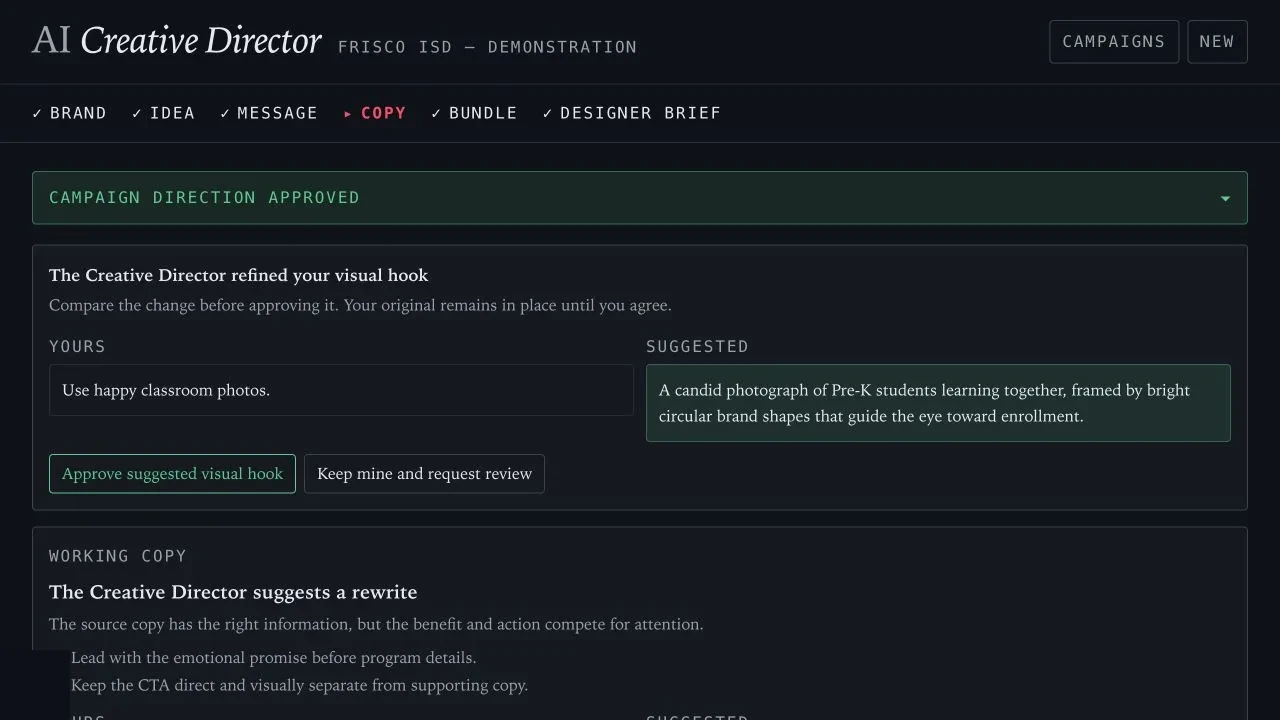
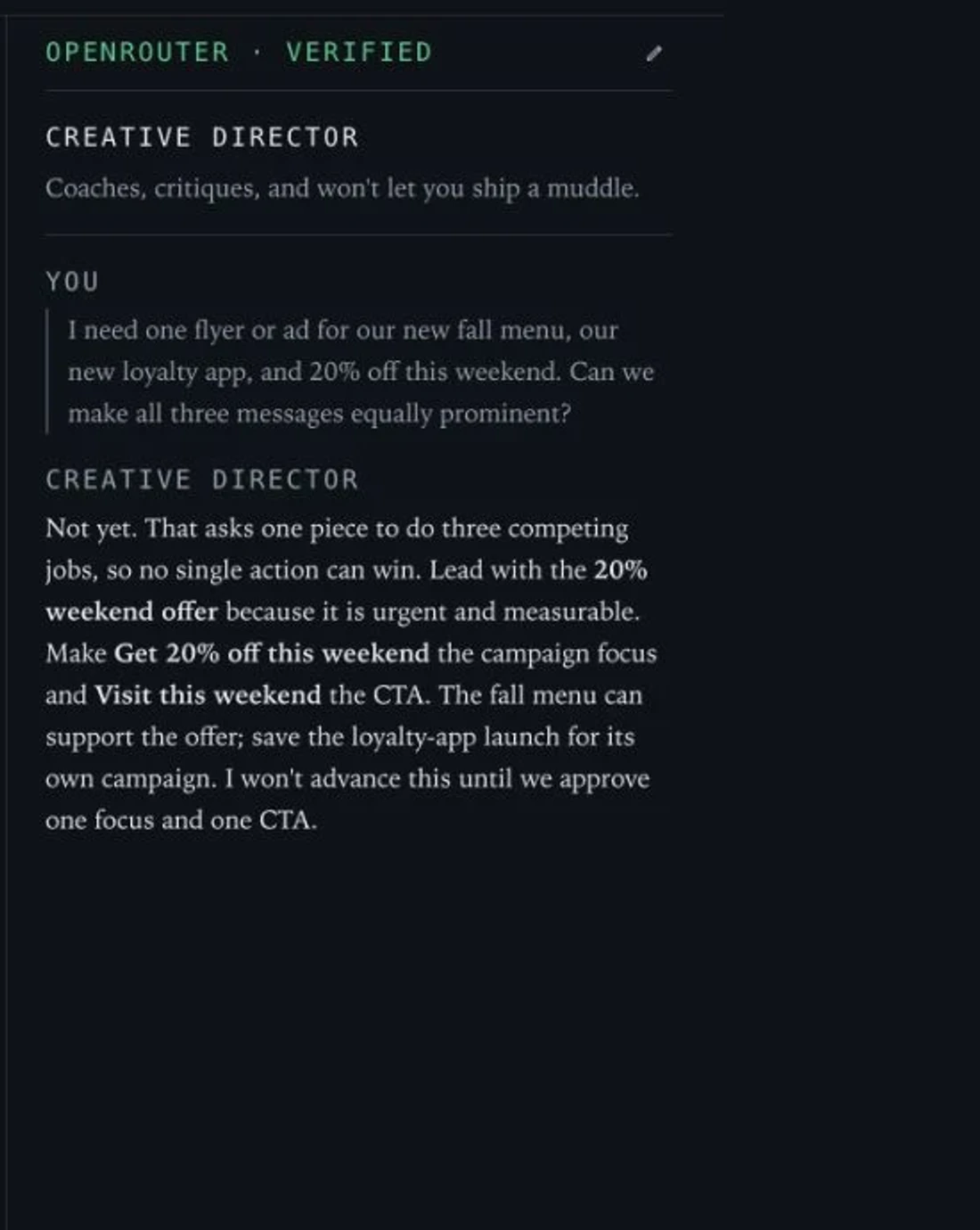
A user tries to put a fall menu, a loyalty-app launch and a weekend discount into one flyer. The persistent Creative Director identifies three competing jobs, prioritizes the urgent offer and refuses to advance until one focus and one call to action are approved.
Current production UI with demonstration campaign content. The closed gate is application-owned.
- AI suggests
- Qualifies, carries context, critiques and proposes focused direction.
- The application governs
- Owns gates, approval state, specifications, persistence and export.
- The person decides
- Supplies source material, edits the work and approves the evidence.
Current evidence includes live model qualification, application-owned gates, persisted approvals and the generated six-page brief. Structured usability sessions are the next validation step and are not represented as completed research.
Start with what is known. Approve what changes.
Propose beside.
Never overwrite.
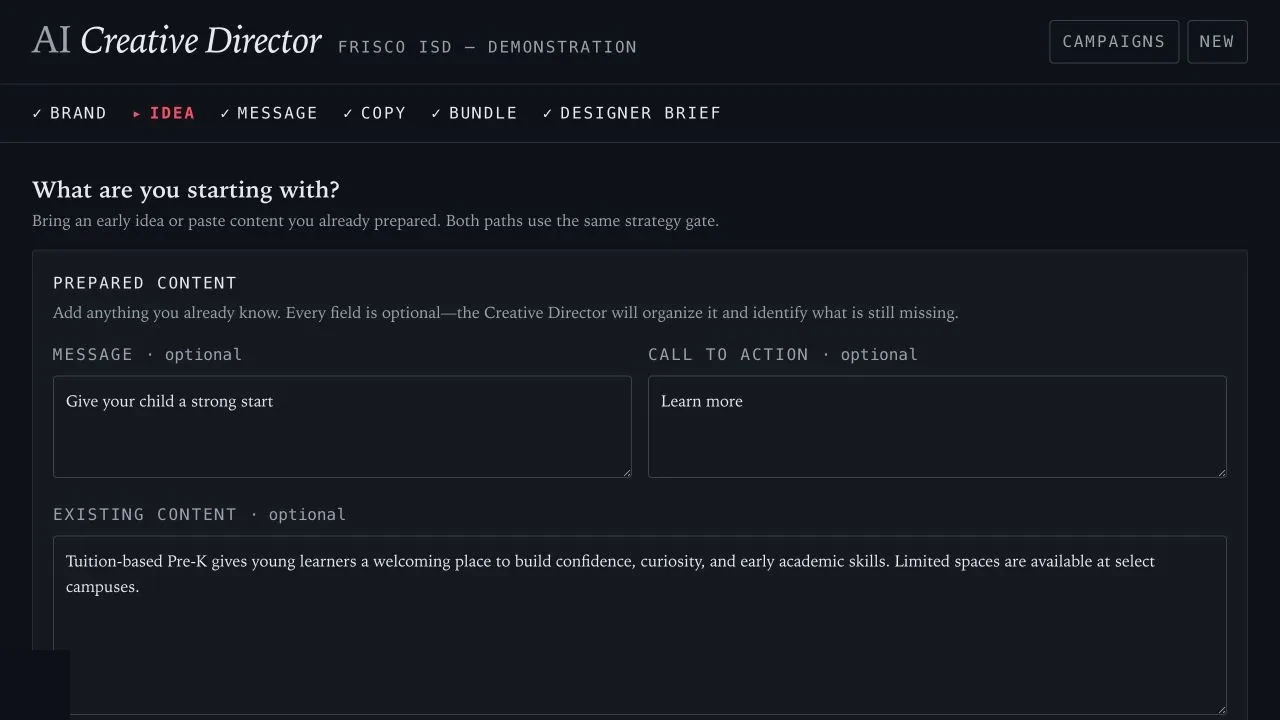
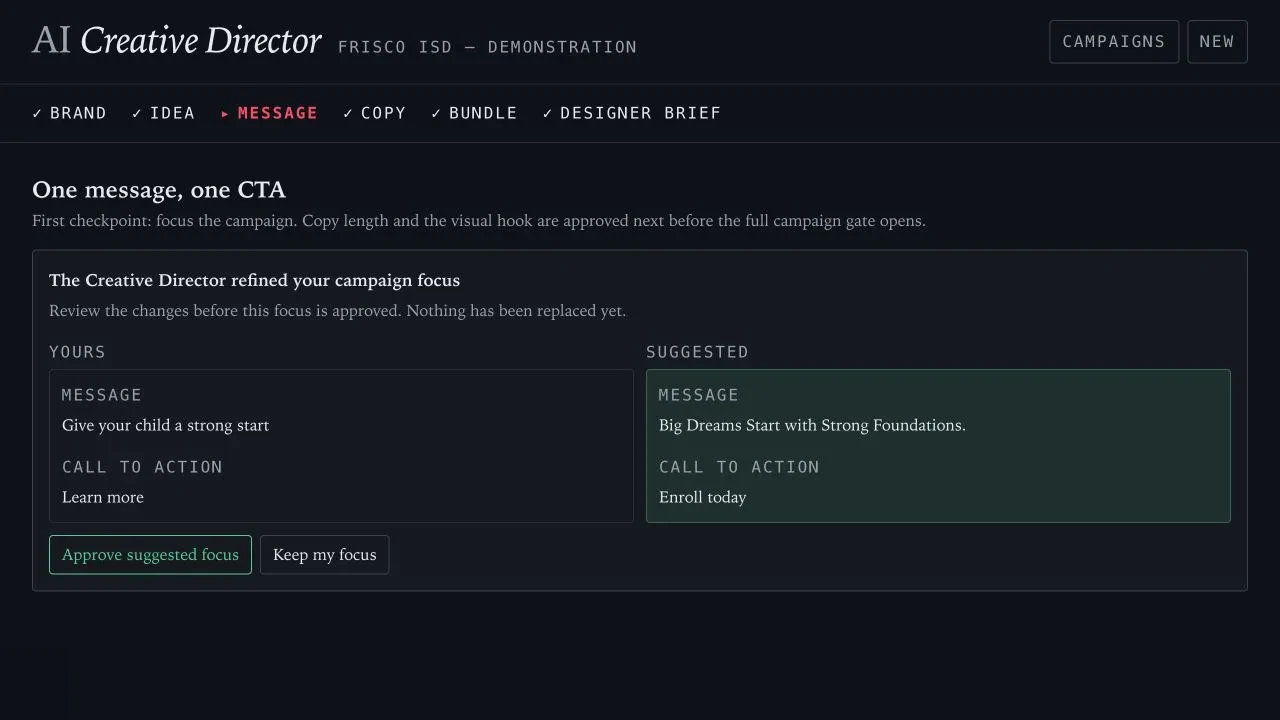
The Frisco ISD material shown here is demonstration content used to exercise the workflow. It is not presented as a client engagement or endorsement of this product.
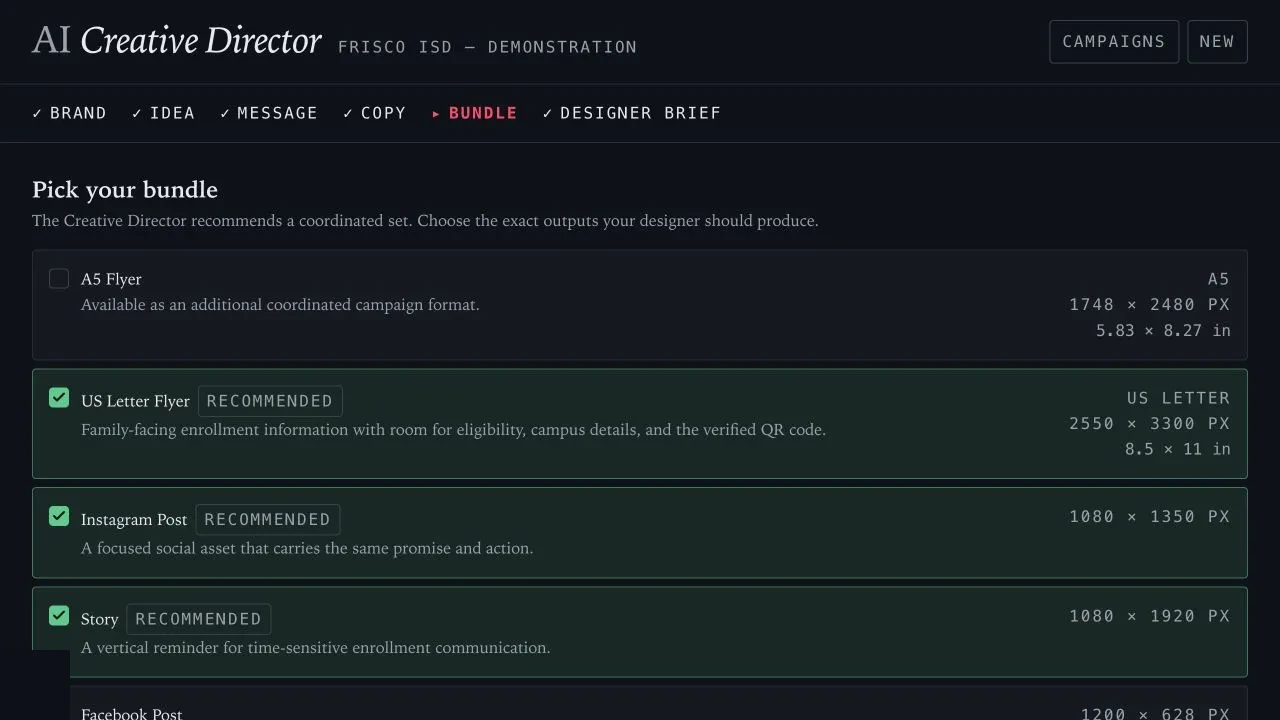
Every deliverable has an exact size and a specific job.
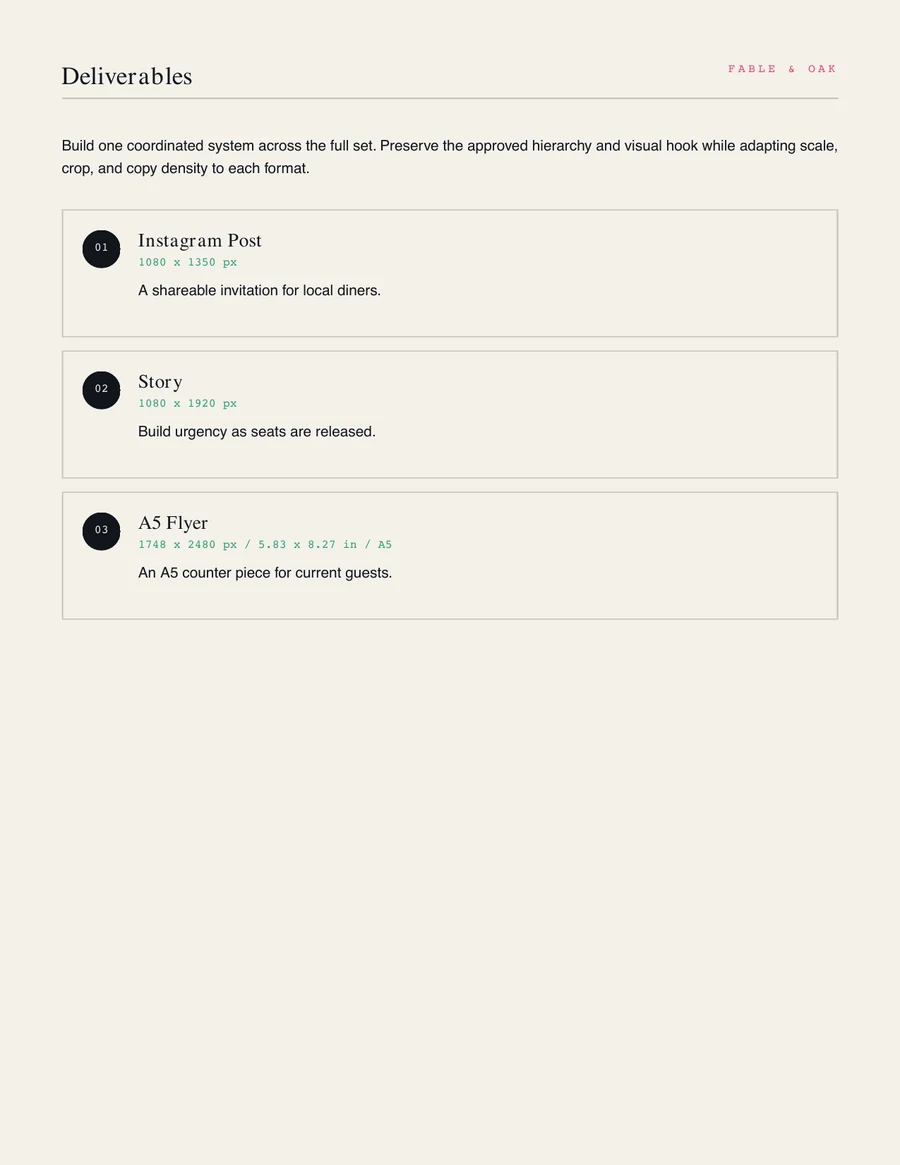
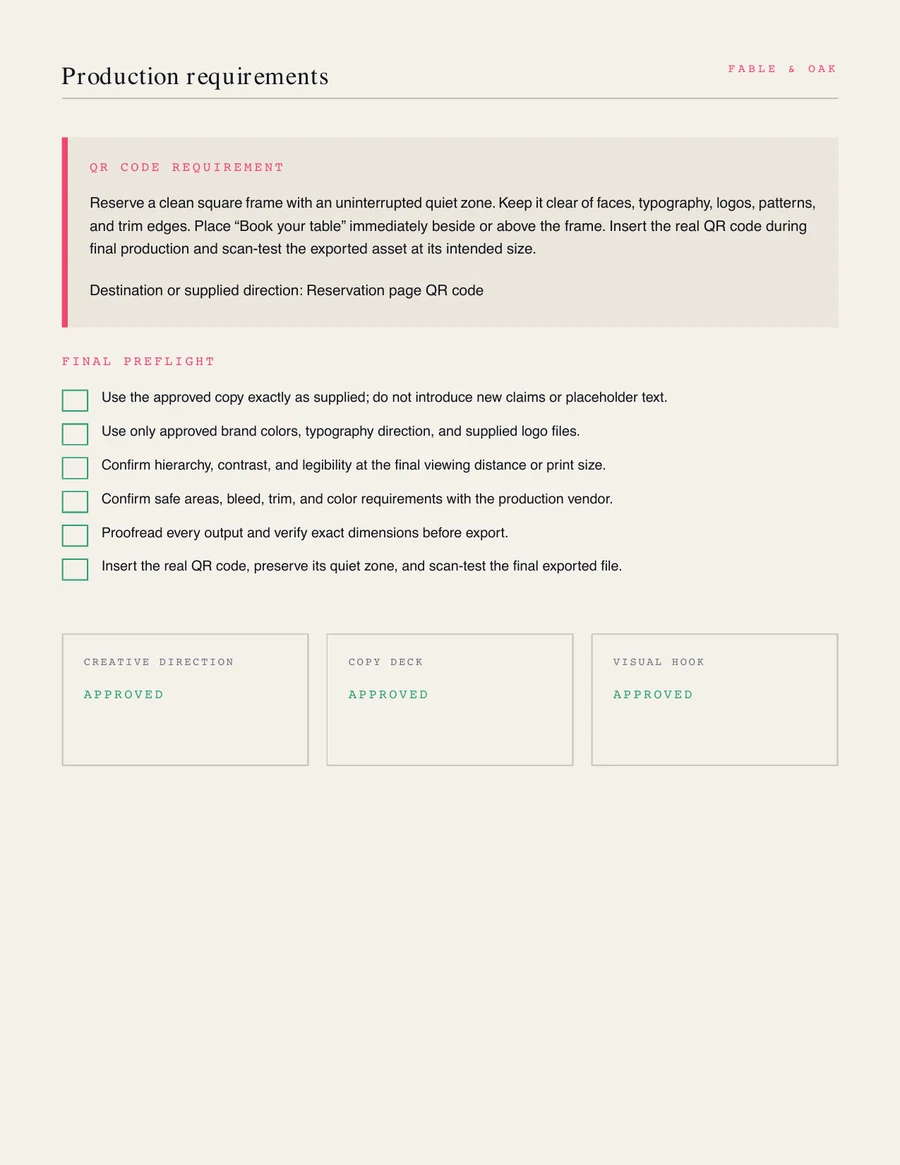
Recommended presets and custom deliverables can be combined, renamed, resized, selected and persisted. The final brief records production specifications instead of offering a vague channel list.
Stop where AI stops being professionally useful.
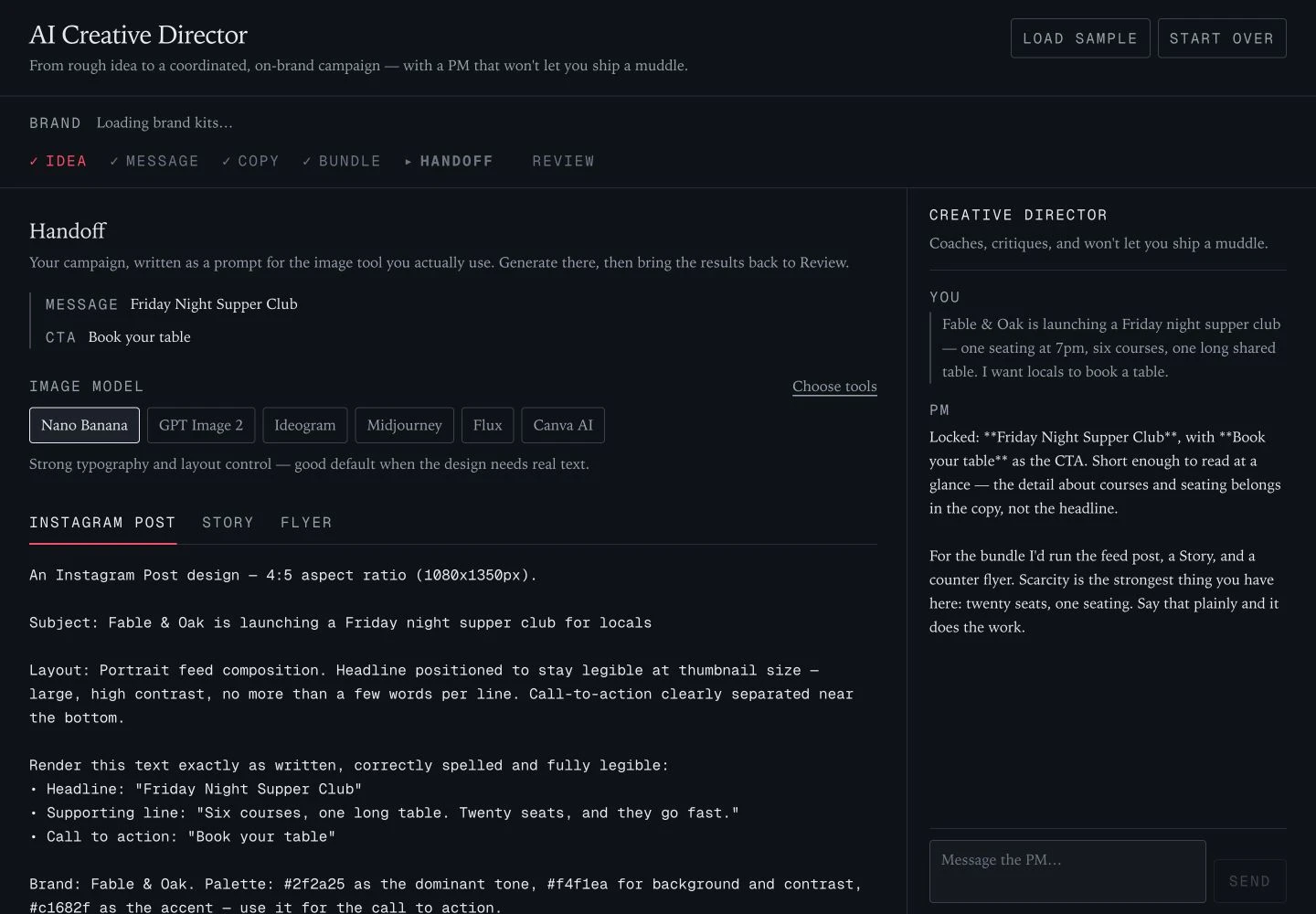
Image-generation testing exposed a review loop that could identify problems without making the work production-ready. V1 removed the prompt handoff and generated-image review. The approved visual hook now becomes direction for a human designer.
- V0
Generate the whole campaign
The first concept extended into model-specific image prompts and generated-artwork review.
- Test
Find the professional boundary
Image generation remained inconsistent, while review could identify problems without resolving them.
- V1
Stop at an approved brief
The product now ends with decisions, specifications and a portable human-designer handoff.
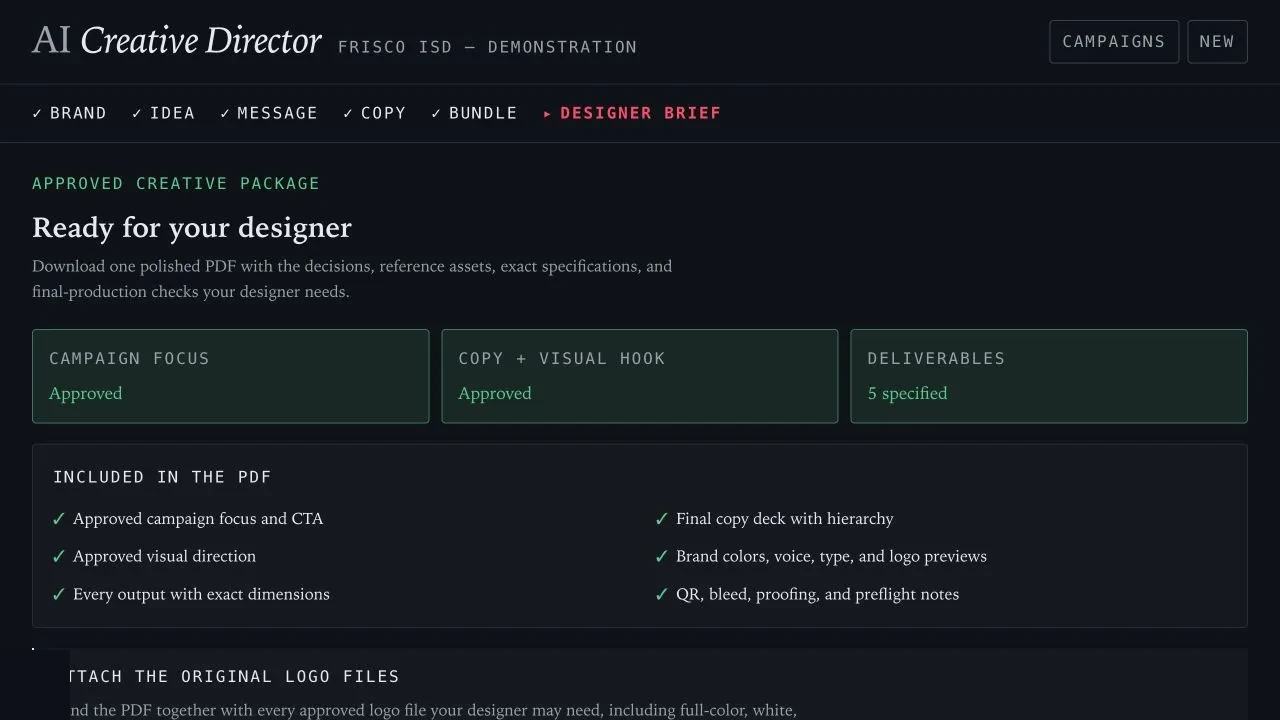
The culmination
A Designer Brief that can leave the app.
The workflow ends with approved campaign direction, exact production requirements and a recoverable six-page PDF for a human designer.
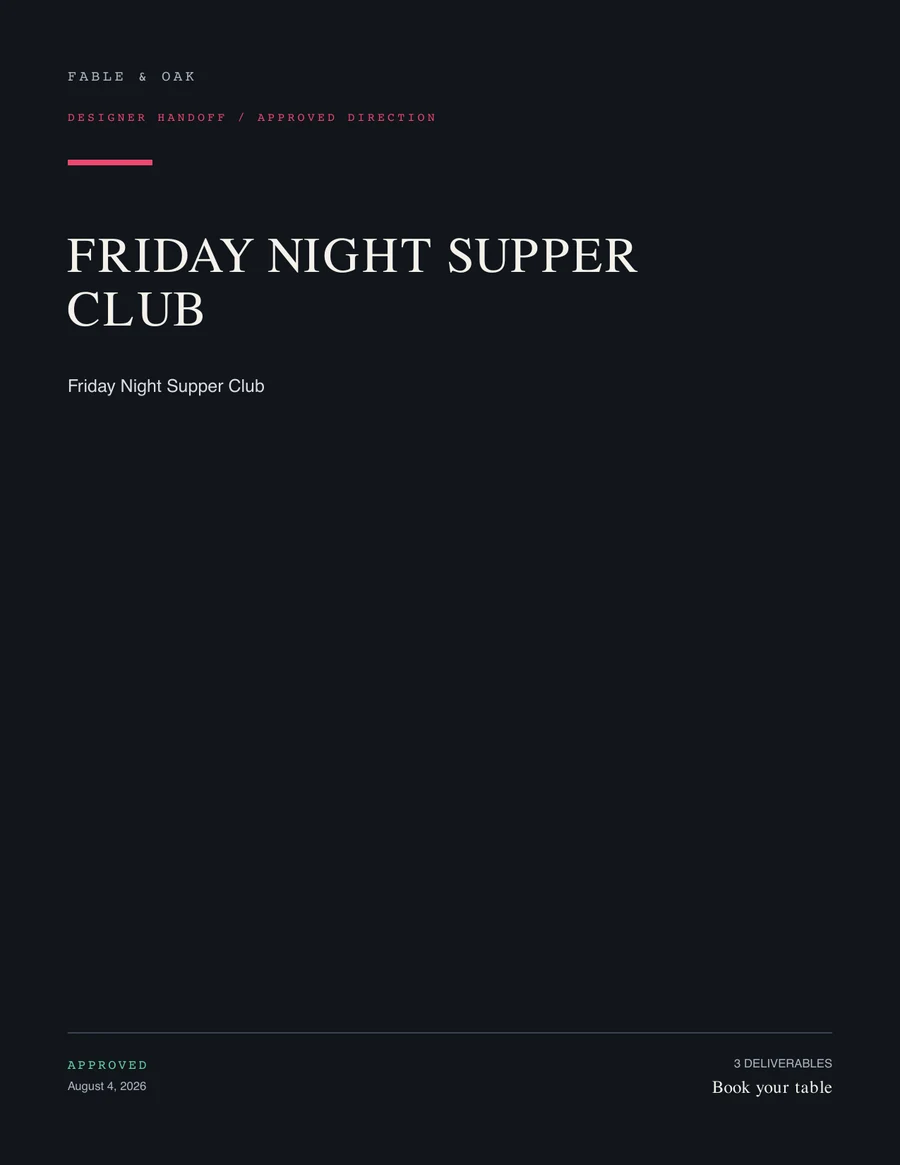
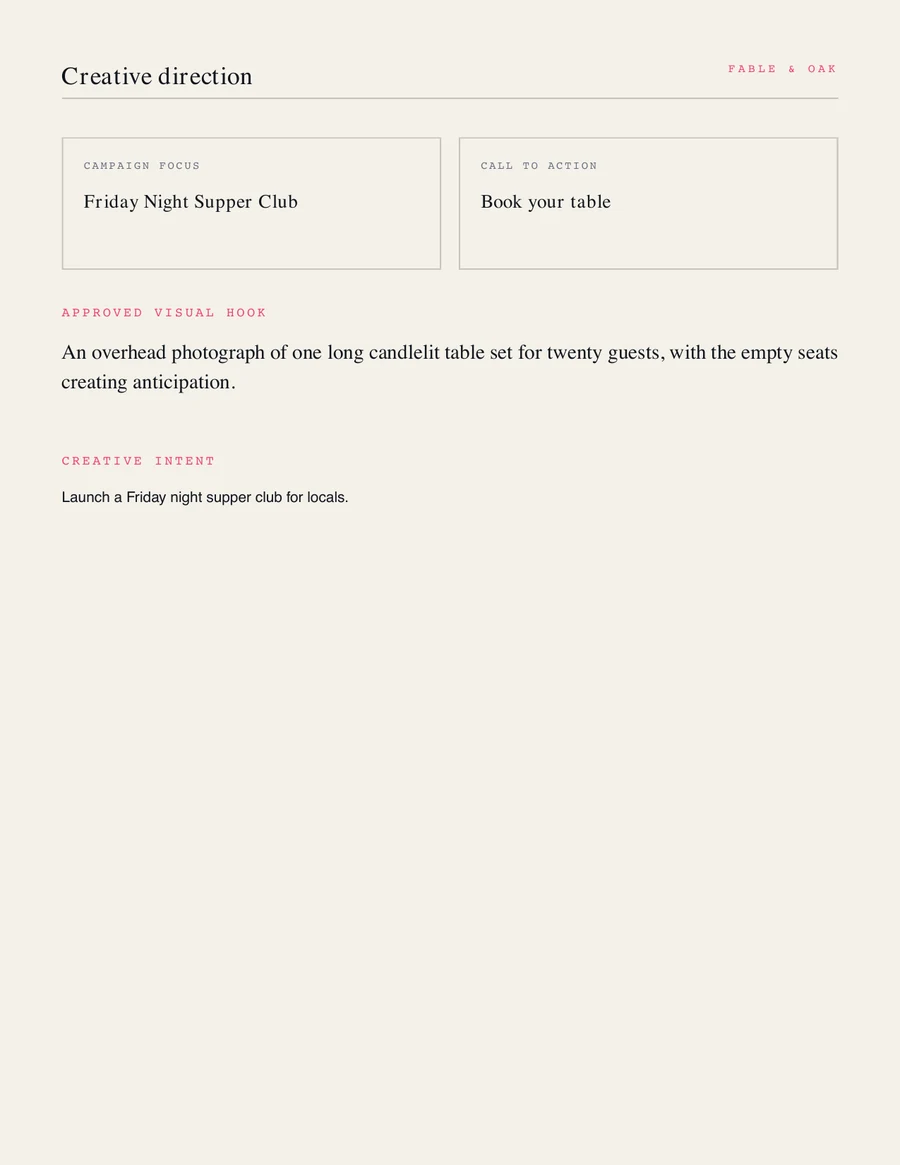
Less AI theater. More effective work.
Persistent coaching sharpens the campaign, enforced gates preserve authorship, and the final artifact gives a human designer approved direction instead of overpromising production-ready AI art.